Describe it yourself
Type the song you’re imagining — the mood, the story, the sound — and Lyrixsa AI writes and produces an original track from your words.
Give Lyrixsa AI a sentence, a song you love, a genre blend or a photo. It writes the lyrics, produces the instrumental and sings the lead — then Studio shapes it, a commercial license makes it legally yours, and Publisher puts it on the stores.
Cancel anytime. 14-day refund policy on eligible purchases.
 Original · yours to license
Music DNA · genre, mood, BPM
Publisher · straight to the stores
Original · yours to license
Music DNA · genre, mood, BPM
Publisher · straight to the stores
Built, not promisedEvery screen further down this page is the live product.
 Spotify
 Apple Music
 YouTube Music
Amazon Music
YouTube Music
Amazon Music
 TIDAL
TIDAL
 Deezer
+ TikTok, Instagram, Pandora, SiriusXM, iHeartRadio
Deezer
+ TikTok, Instagram, Pandora, SiriusXM, iHeartRadio
ways into a song — a description, Music DNA, Genre Mixer, or a photo
platform carrying the track from first idea to licensed release
guided steps from your library to the stores you pick
Describe any song you want — a feeling, a story, a genre, a moment. Lyrixsa AI writes the lyrics, produces the instrumental, sings the lead and paints the cover art, then plays the finished track right here on this page. Nothing to install, and nothing to sign up for just to listen.
Previews are short clips generated on the spot, so they are not the full length or the full quality you get inside the app. Songs you create on a plan come with the commercial licence.
Lyrixsa AI wrote the lyrics, produced the instrumental and sang the lead on every track below, then each one was finished in Studio and given its cover art. No human session singer, no session band. Press play and judge them the way a listener would — that is the only test that matters.
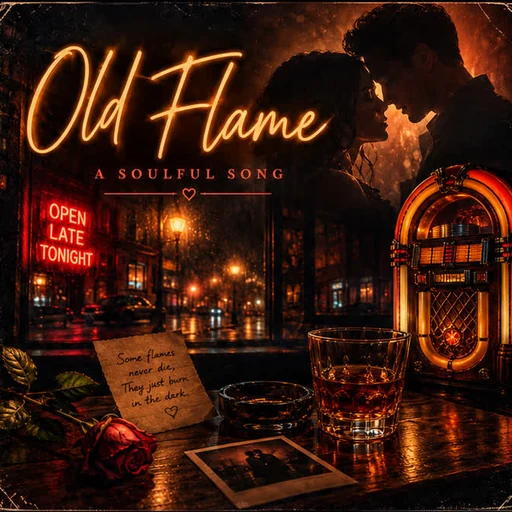
Acoustic pop2:24
A break-up song from one line of description — lead vocal, guitar and all.

Contemporary R&B3:04
A slow-burn R&B record: layered vocal, late-night instrumental.
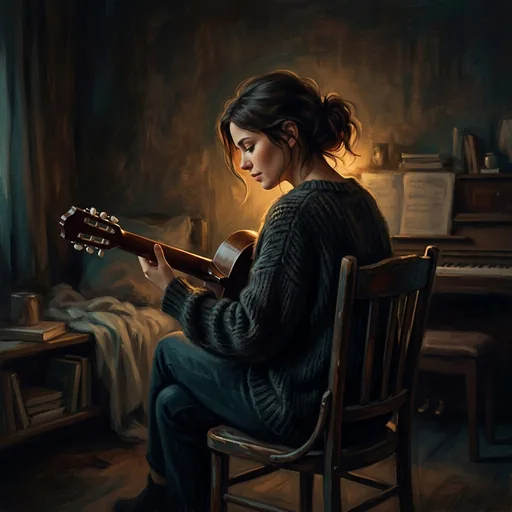
Acoustic pop2:58
Close-miked and unhurried — proof the model can also hold back.

Acoustic pop2:53
A full arrangement with a hook that lands on the second listen.
These are real outputs, not a showreel. They were made on the same platform your plan opens, using the creation routes shown further down this page. Your own songs will sound like your own prompts — genre, mood, voice and language are yours to set.

Most tools hand you an audio file and wish you luck. Lyrixsa AI keeps the track in one place from the first idea to the day it goes live — which is the only reason any of this takes an afternoon instead of a month.
Describe the song you want, or start from a track link, a genre blend, or a photo. Set genre, voice and language before you generate.
Extend, remix, replace sections, split stems and generate cover art. Adjust tempo and pitch, and edit lyrics on a real waveform timeline.
Issue a commercial license, with a Certificate of Rights carrying a license ID and a link anyone can use to verify it.
Assemble a release from your library, send it to the stores you choose, and follow it from one Publisher dashboard.
Create it. License it. Release it. One platform handles all three, and your whole catalog stays organized in one place.
Sometimes you have a sentence. Sometimes a reference track that’s been stuck in your head for a week. Sometimes just a photograph and a feeling. Lyrixsa AI has a route for each one, and they all end in the same place — a finished song.

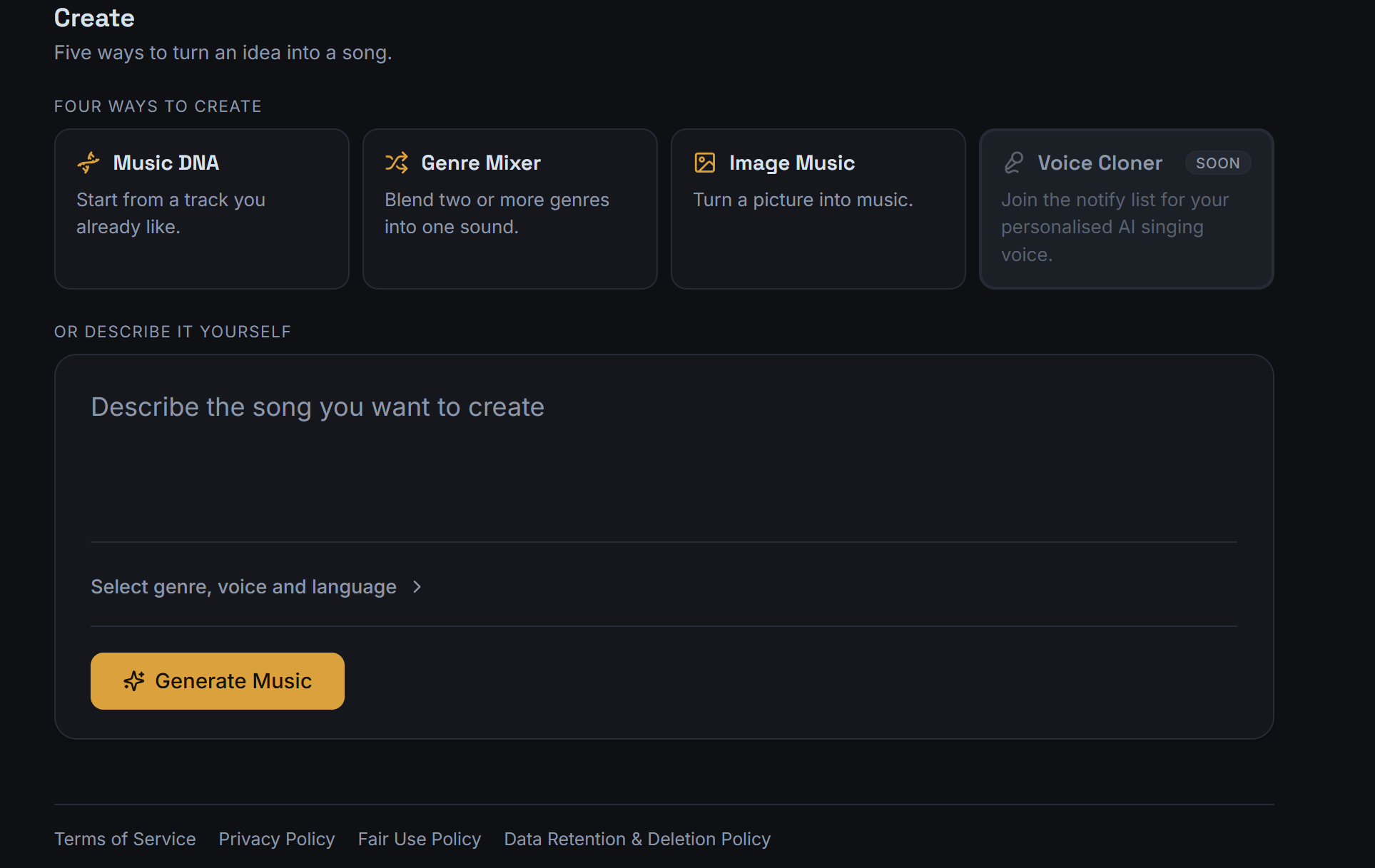
Type the song you’re imagining — the mood, the story, the sound — and Lyrixsa AI writes and produces an original track from your words.
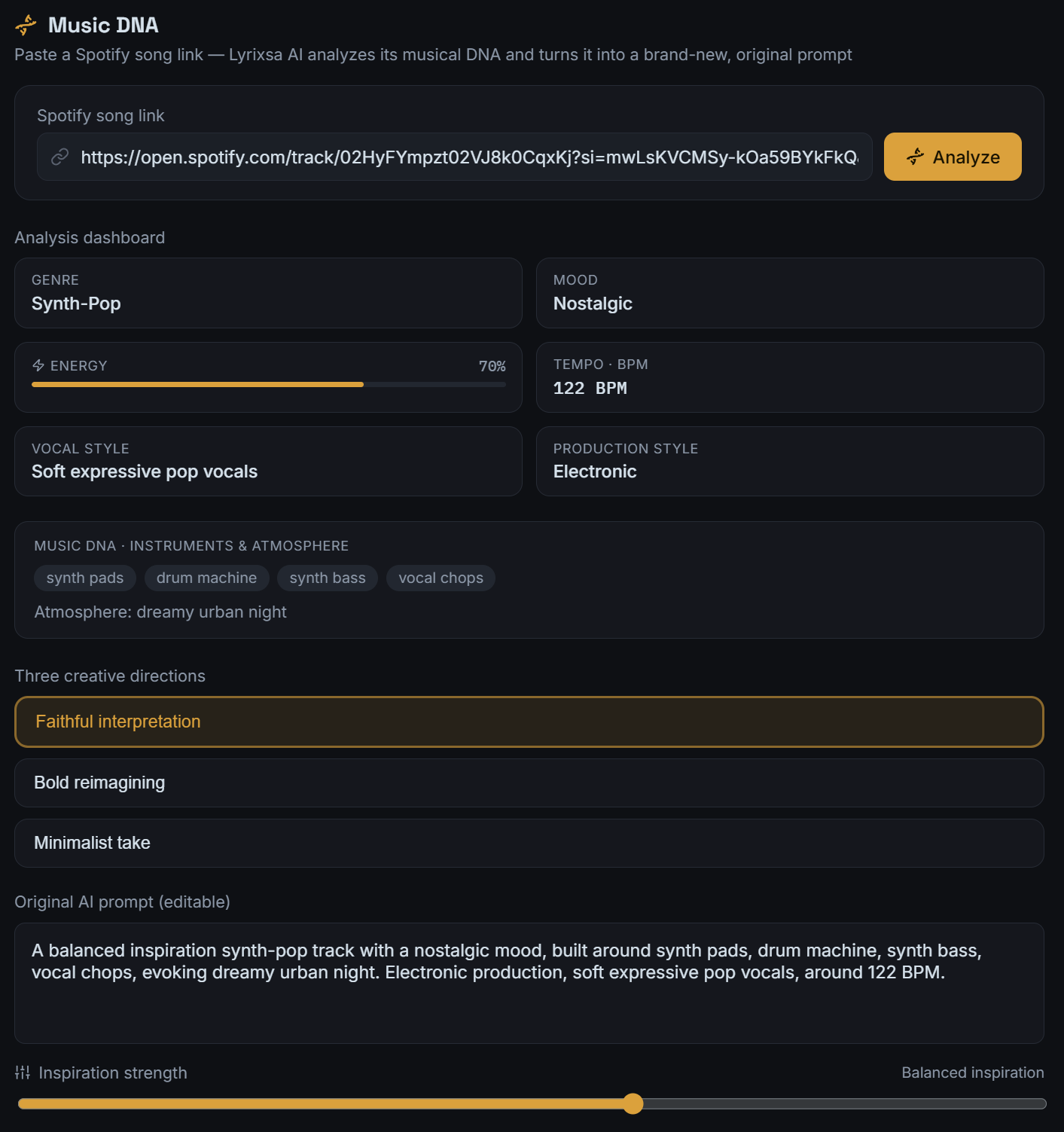
Paste a song link. Lyrixsa AI reads its musical DNA — genre, mood, energy, BPM, vocal and production style, instruments — then turns that into a brand-new original prompt you can edit.
Blend two genres and see a compatibility score before you commit a single second to it. Lyrixsa AI builds the prompt from the blend, and you tune it before generating.
Upload a photo. Lyrixsa AI reads what it sees — the scene, the light, the atmosphere — and scores it as a song.
A fifth creation route, Voice Cloner, is marked Soon inside the platform and is not available yet.
Six screens from Lyrixsa AI as it works today — the same platform your plan opens. Pick one and look for yourself.
Paste a link. Lyrixsa AI analyses genre, mood, energy, BPM, vocal and production style, instruments and atmosphere — then writes an original prompt from that DNA, with three creative directions to choose between.
The original prompt stays fully editable before you generate.
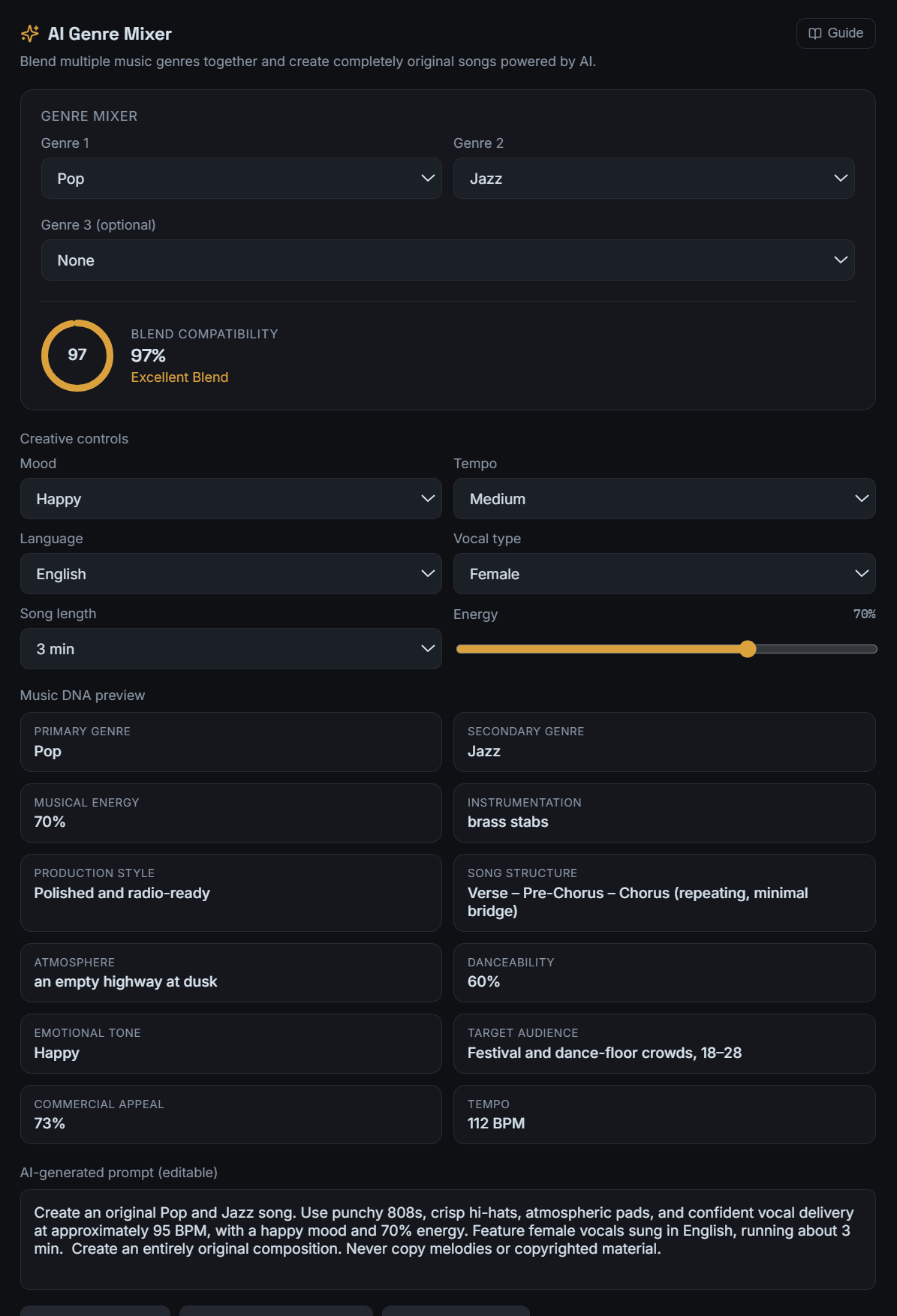
Choose your genres and Lyrixsa AI scores how well they fit, previews the resulting Music DNA, and generates a prompt from the blend — which you can adjust with creative controls before it becomes a track.
Blend compatibility is calculated from the genres you select.
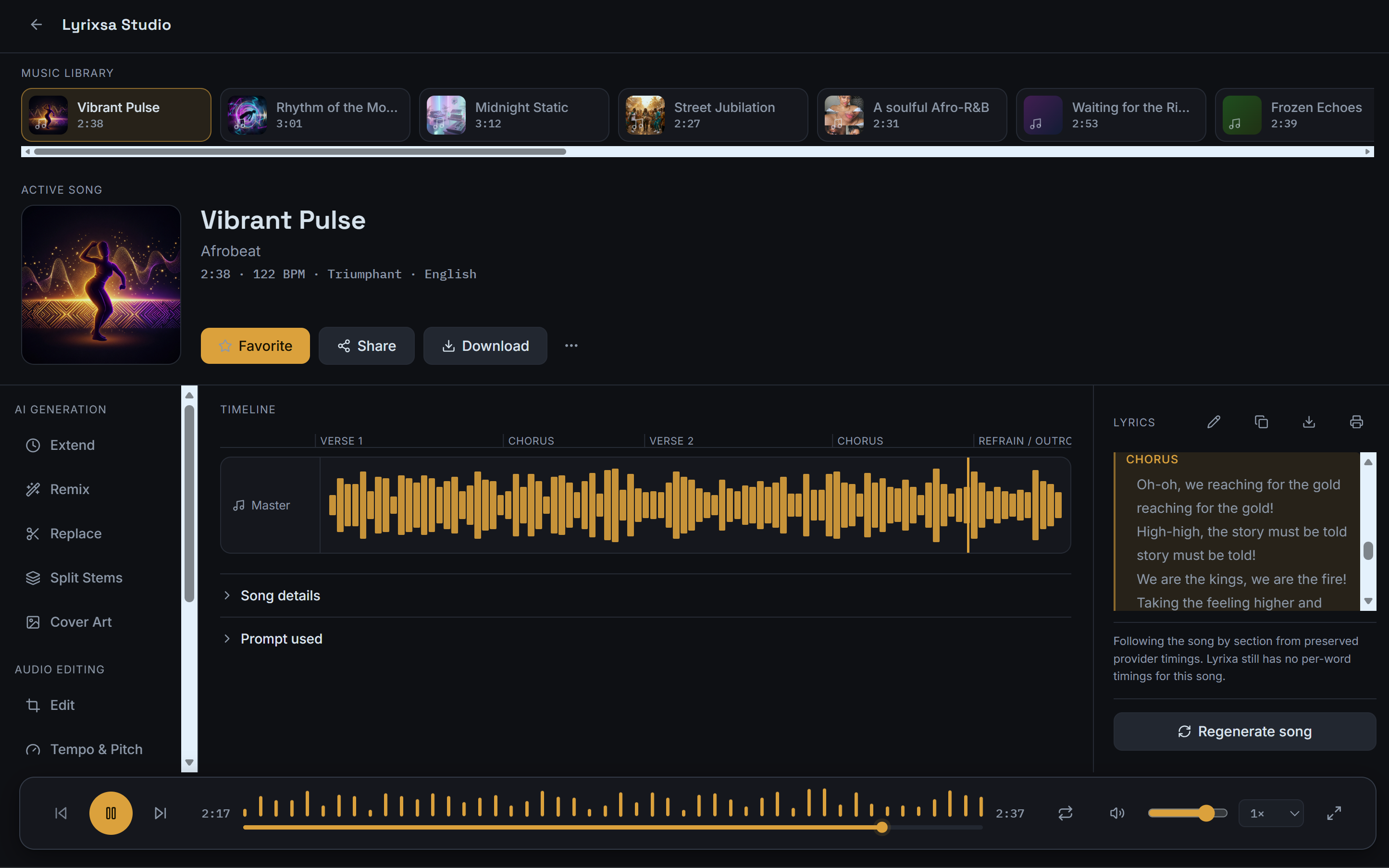
Studio gives you a real timeline with section markers — verse, chorus, refrain, outro. Extend it, remix it, replace a section, split the stems, generate cover art, or move the tempo and pitch.
AI generation and audio editing tools sit side by side on the same track.
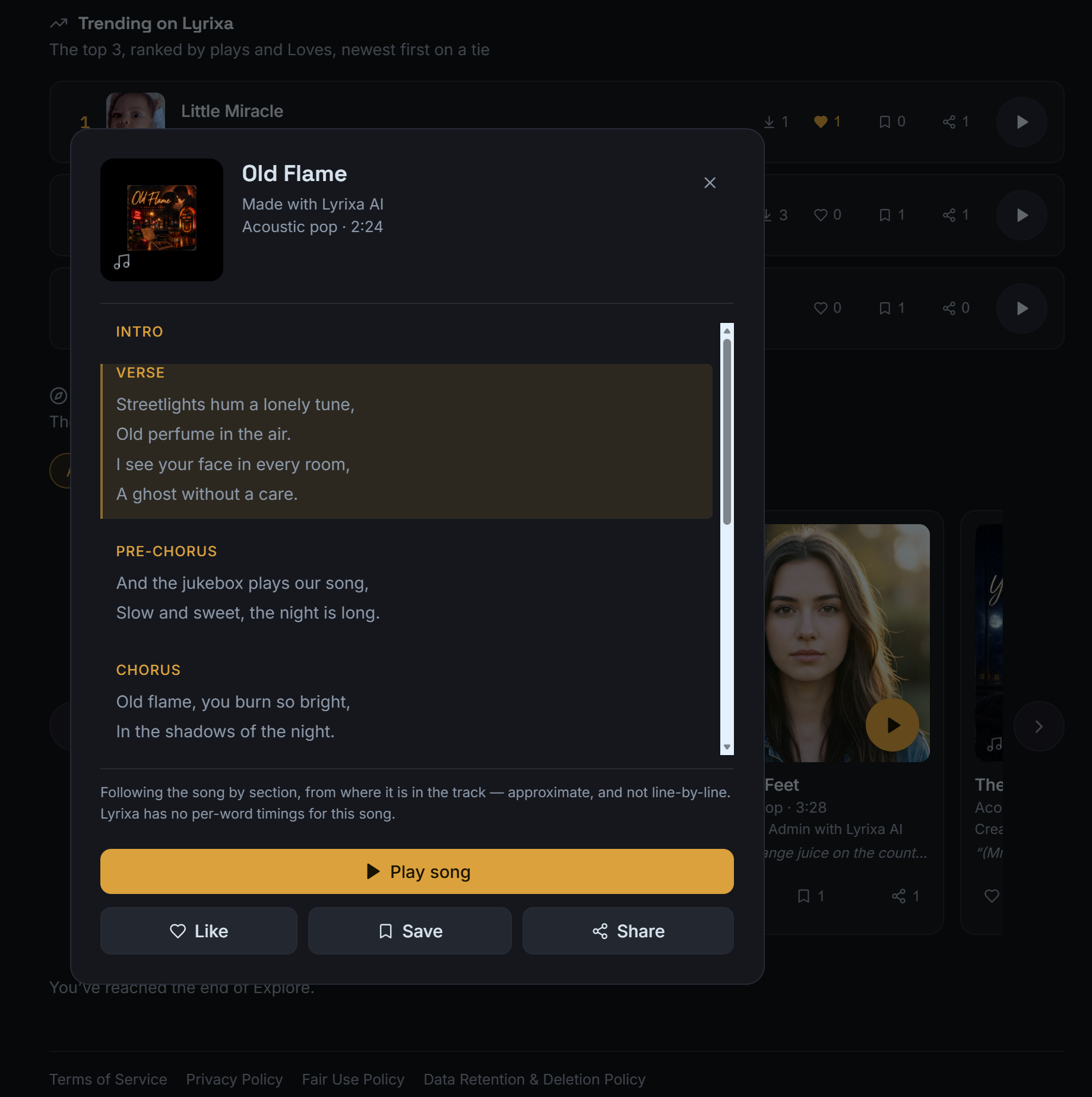
Every song carries its lyrics with it, structured by section so you can read along, rewrite a line, or take them out of the platform when you need them somewhere else.
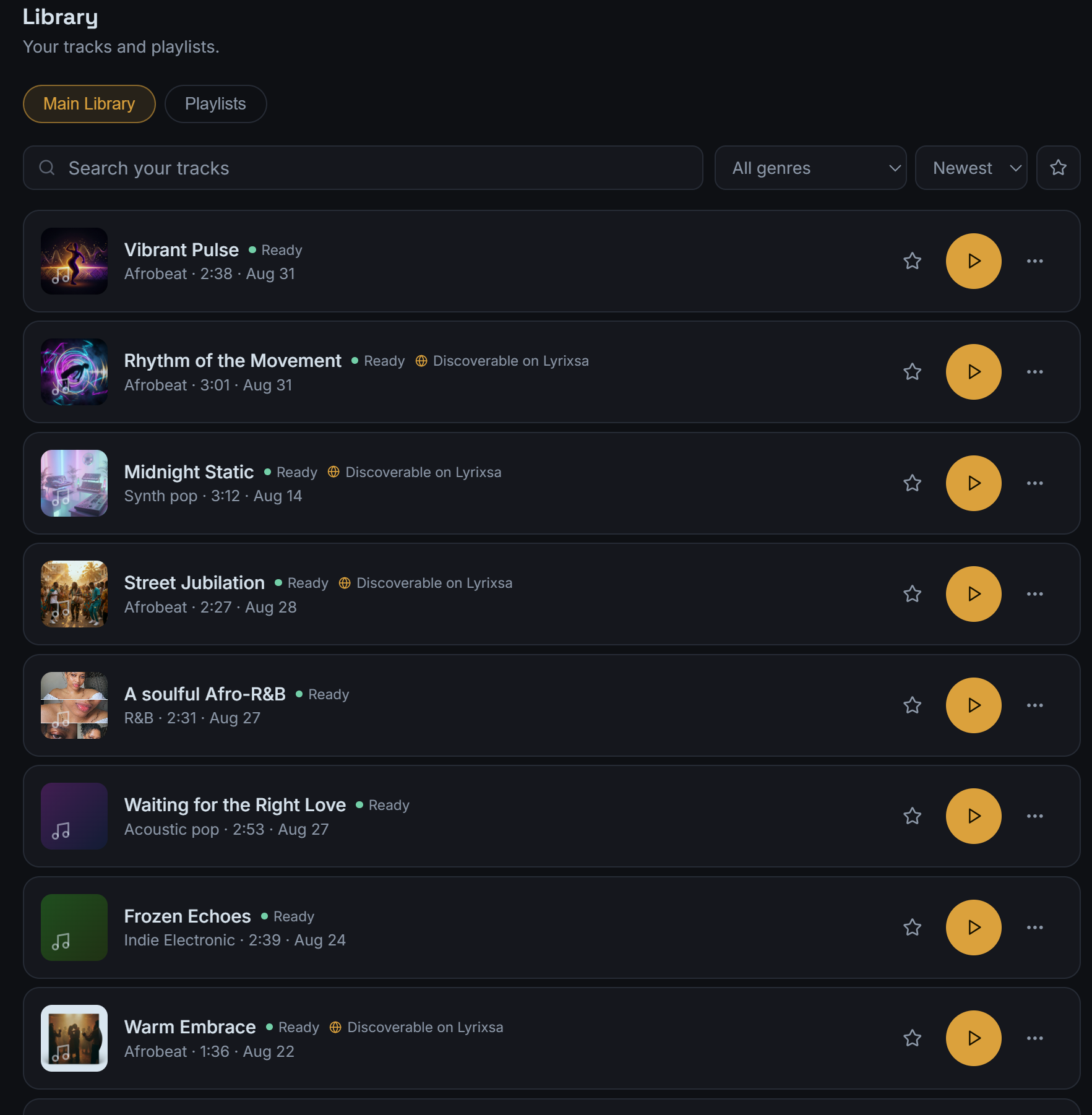
Search your catalogue, filter by genre, sort by newest, build playlists, and see at a glance which tracks are ready and which are discoverable on Lyrixsa.
Making a track discoverable on the public catalogue is opt-in, per song.
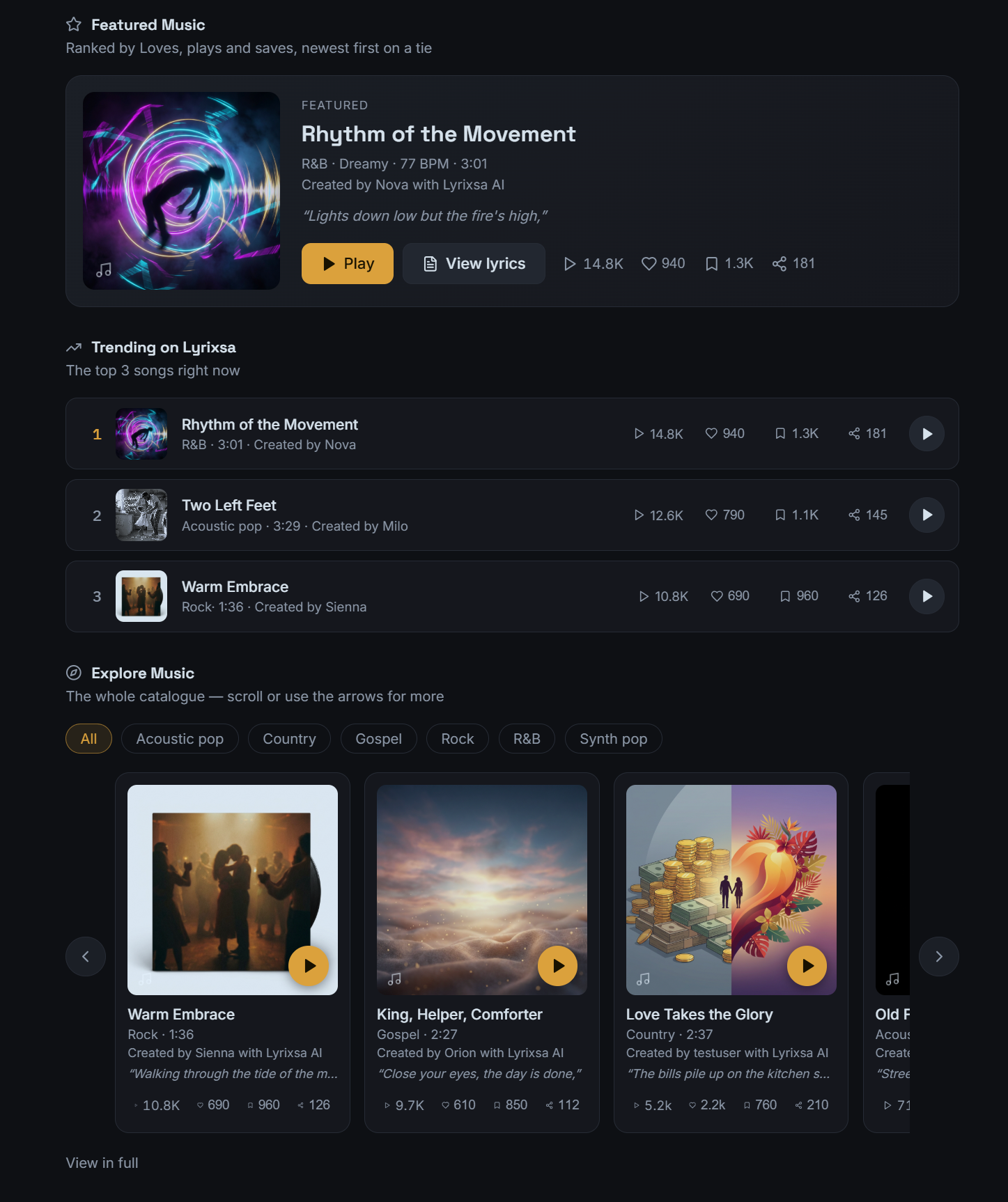
Lyrixsa has its own catalogue — featured music, what’s trending, and the whole library to explore by genre. Listeners can play a track, read its lyrics, love it, save it, or share it.
Your songs only appear here if you choose to make them discoverable.
Every other tool stops at the audio file — the part where the actual work starts. Here, the same track keeps moving: shaped, licensed, and sent out.
A description, a song link, a genre blend, or a photo. Choose genre, voice and language, then generate.
Extend, remix, replace a section, split stems, move tempo and pitch, rewrite lyrics, generate cover art.
Issue a commercial license with a Certificate of Rights — a license ID, a status, and a public verification link.
Build a release from your library through a guided eight-step flow, pick your outlets, and follow it in Publisher.
Each licensed song gets a Certificate of Rights setting out what you’re allowed to do with it, carrying a license ID, a status, and a link anyone can use to verify it.
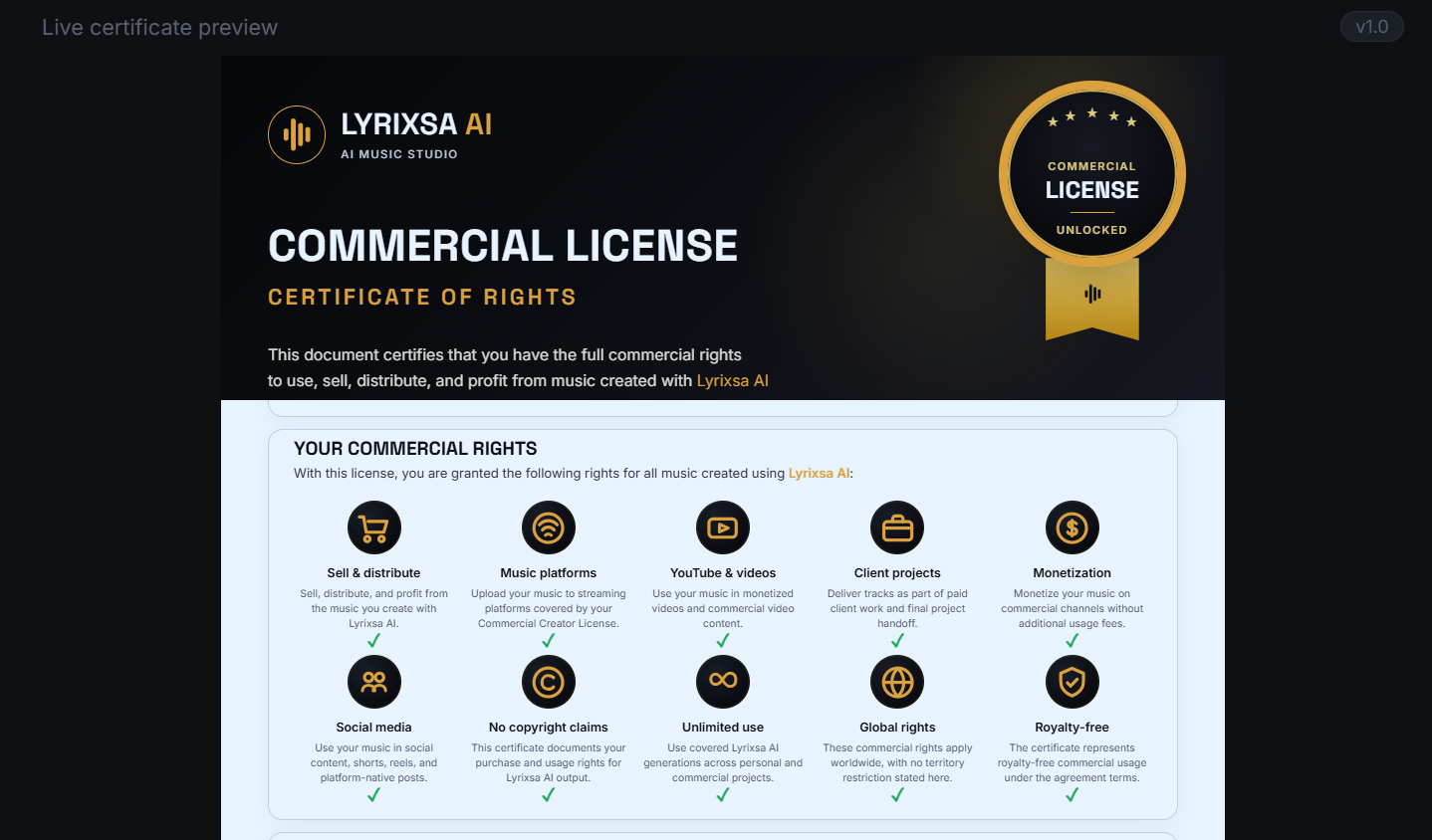
Note: shown cropped to the granted-rights grid. Licensee details are omitted from this page — a real certificate also carries the license holder’s own name, email and license ID, plus a QR code and link to verify it.
Assemble a release from your library, then send it to the stores you choose. Eight steps: type, music, information, cover art, lyrics, outlets, validation, review.
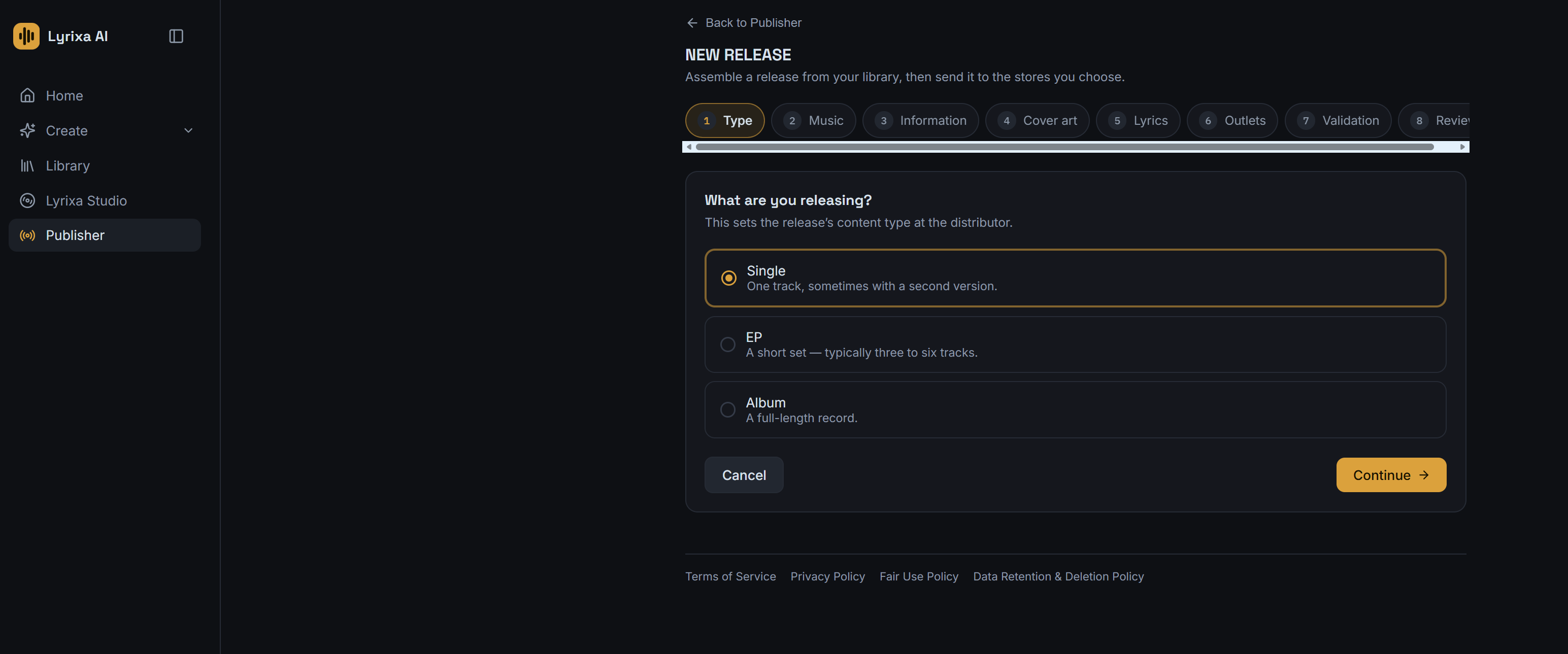
Store availability is set by each platform. Publishing a release is not a guarantee of acceptance, streams, or royalties.
Publisher reports your releases back to you — streams broken out per store, payout states, and where in the world people are listening.
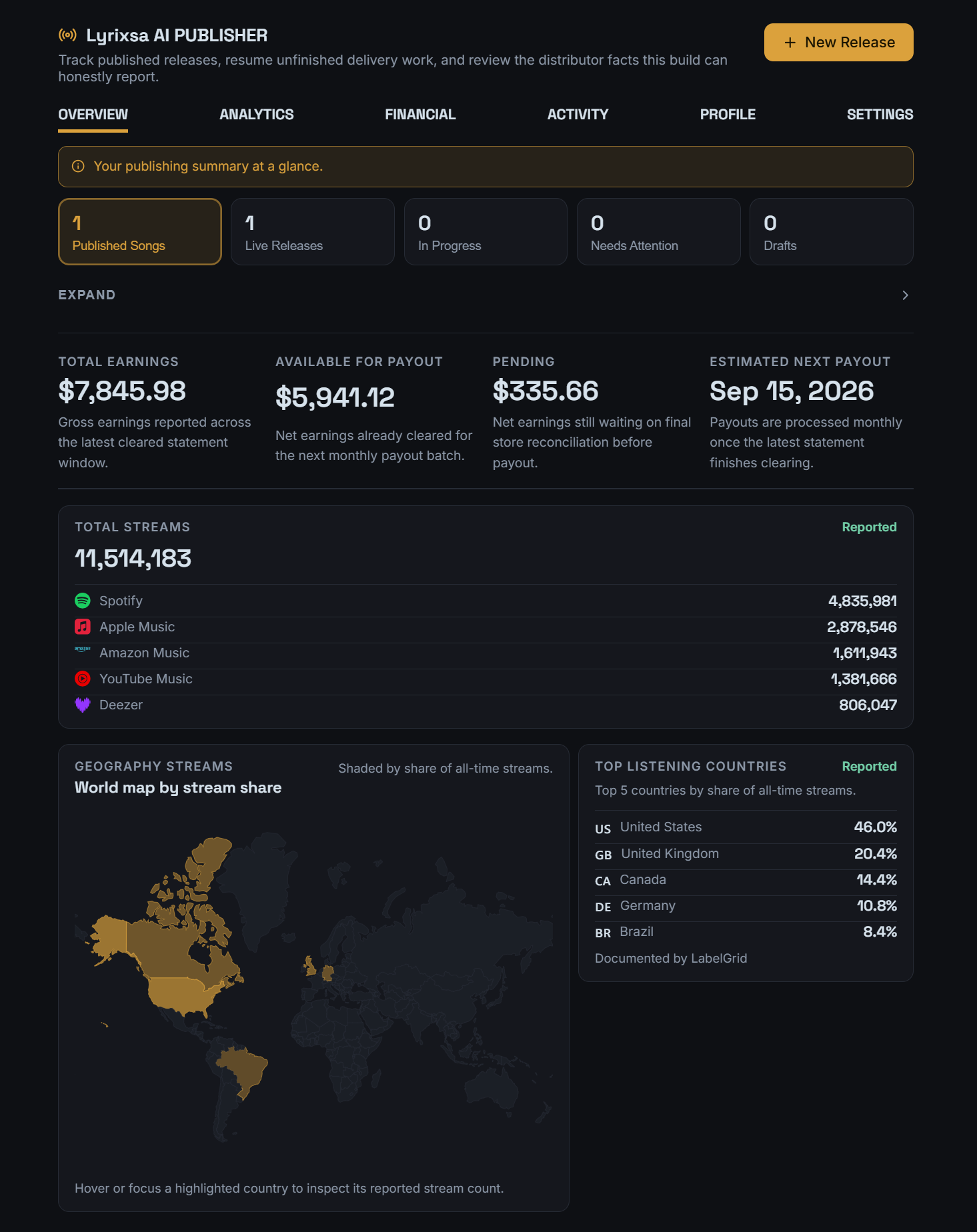
Earnings disclaimer: the figures in this dashboard come from a Lyrixsa AI account and are shown to illustrate what Publisher reports. They are not typical, not a projection, and not a guarantee. Your own results depend on the music you make, listener interest, and factors outside anyone’s control — including earning nothing.
Two plans, billed monthly or yearly. Both give you the whole workflow — the only difference is whether Lyrixsa also releases the finished music to the stores for you.
Or pay yearly and keep two months. Cancel anytime, and eligible purchases are covered by a 14-day refund policy.
Straight answers on pricing, rights and what the platform does.
Ongoing access to the Lyrixsa AI platform — the same Create, Studio, licensing and library workflow shown on this page. Creator covers creating, shaping and licensing your songs. Publisher adds Lyrixsa Publisher on top, which delivers your finished releases to the stores and reports the payouts.
Creator is $37 a month or $370 a year. Publisher is $67 a month or $670 a year. Paying yearly costs ten months’ money for twelve months’ access, so you keep $74 a year on Creator and $134 a year on Publisher. Prices are in US dollars and exclude any tax that applies where you are.
Monthly is the lower commitment and you can stop after any month. Yearly is the same access for ten months’ money instead of twelve, paid once up front. Nothing about the platform differs between the two — only how often you pay.
Your plan’s current generation allowance is shown in the app on your account, which is the figure that actually applies to you. We don’t quote a number here that we’d have to keep in step with the platform — check it before you buy if it’s the deciding factor, and fair use is set out in the Terms of Service.
You go to app.lyrixsa.com/login, which is where you sign in if you already have an account and register if you don’t. You choose and pay for your plan inside the app, on the terms shown to you at checkout.
Lyrixsa AI issues a commercial license for your songs, with a Certificate of Rights that sets out what you’re permitted to do and carries a license ID and a public verification link. The exact rights granted are in the Commercial Music License document, linked in the footer — that document is what governs your use, so it’s worth reading rather than taking our summary for it.
Yes — Lyrixsa AI Publisher prepares your finished songs for distribution to major platforms including Spotify, Apple Music, Amazon Music, YouTube Music, TIDAL, Deezer, Pandora, SiriusXM, iHeartRadio, TikTok, Instagram and Facebook. Store and territory availability is set by each platform, and publishing is not a guarantee of acceptance, streams or royalties.
Not yet. It’s marked “Soon” inside the platform. The creation routes available today are describing a song yourself, Music DNA, AI Genre Mixer and Image Music.
No. Appearing on the Lyrixsa public catalogue is something you turn on per song. Your library is yours by default.
Your subscription continues on the terms shown at checkout until you cancel it, and eligible purchases are covered by a 14-day refund policy. Both sit in the Terms of Service linked in the footer — that document is what governs your billing, so read it rather than relying on this summary.
That’s the only thing standing between an idea and a release with your name on it. Creator from $37 a month, Publisher from $67 a month — or pay yearly and keep two months.
Cancel anytime. 14-day refund policy on eligible purchases.